One place to run your short-term rentals on Airbnb, Booking.com and more.
Nights, prices, orders and guest messages stay together. A booked night closes on the other platforms.
First property free for the first month · no commission · cancel any time
Three things that wear you out
The same night, booked twice
The night is still open on the other site. A second guest arrives.
The price lives in too many places
A weekend rate means logging into each site.
Messages in different apps
The guest writes on Booking.com while you are still in Airbnb.
Three steps, then you are taking bookings
Create the account
Sign up with your email and add the first property. That takes a few minutes, and the first property is free for its first month. The calendar, inbox and prices are waiting when you come back.
Connect the platforms
From the property, connect the accounts you already use, such as Airbnb, Booking.com, Vrbo, Expedia and Trip.com. Bookings, the calendar and the prices you save stay together, and guest messages come into the inbox. Older stays can be brought in from a file you already have.
Take the bookings
A new booking lands on the same calendar. When one platform takes the night, the other platforms you connected close it. Guest messages sit in one inbox: a draft is ready, and you confirm before it is sent.
Calendar, rates, messages, check-in notes and the books, in one place.
One inbox
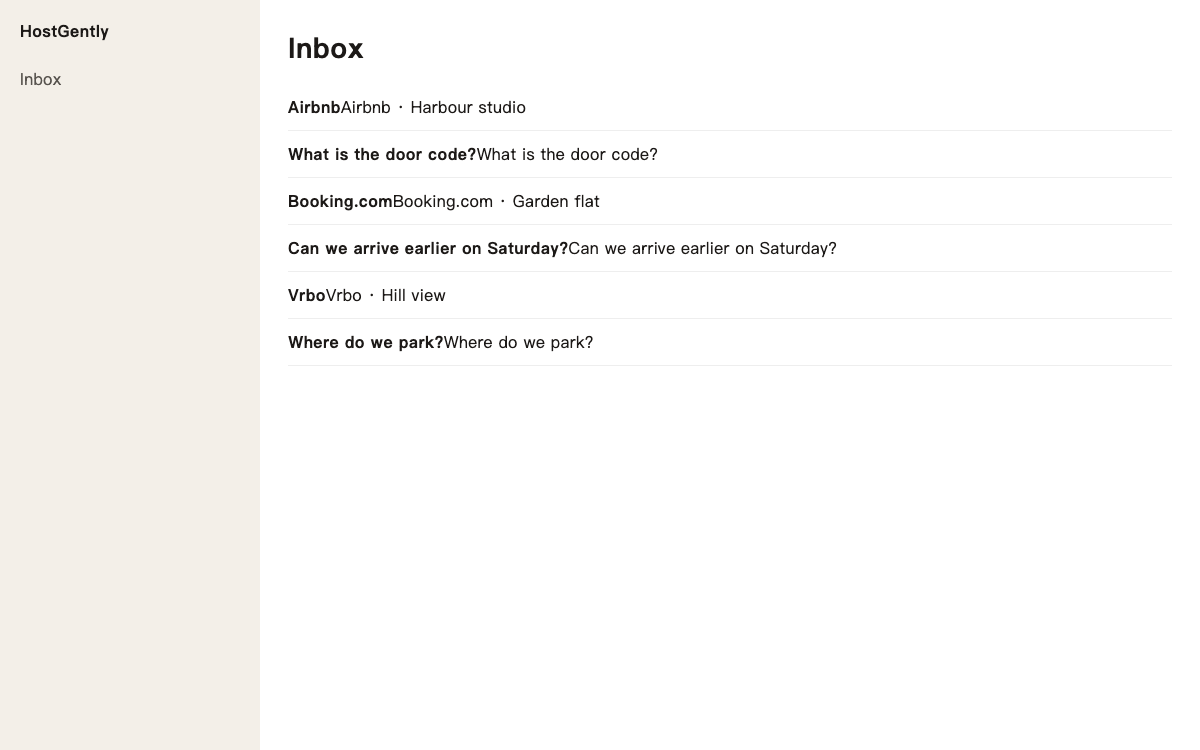
Airbnb and Booking.com messages sit in one inbox. Open a thread, read it, and send the reply from the same place, so the evening is one list instead of two apps.
One calendar
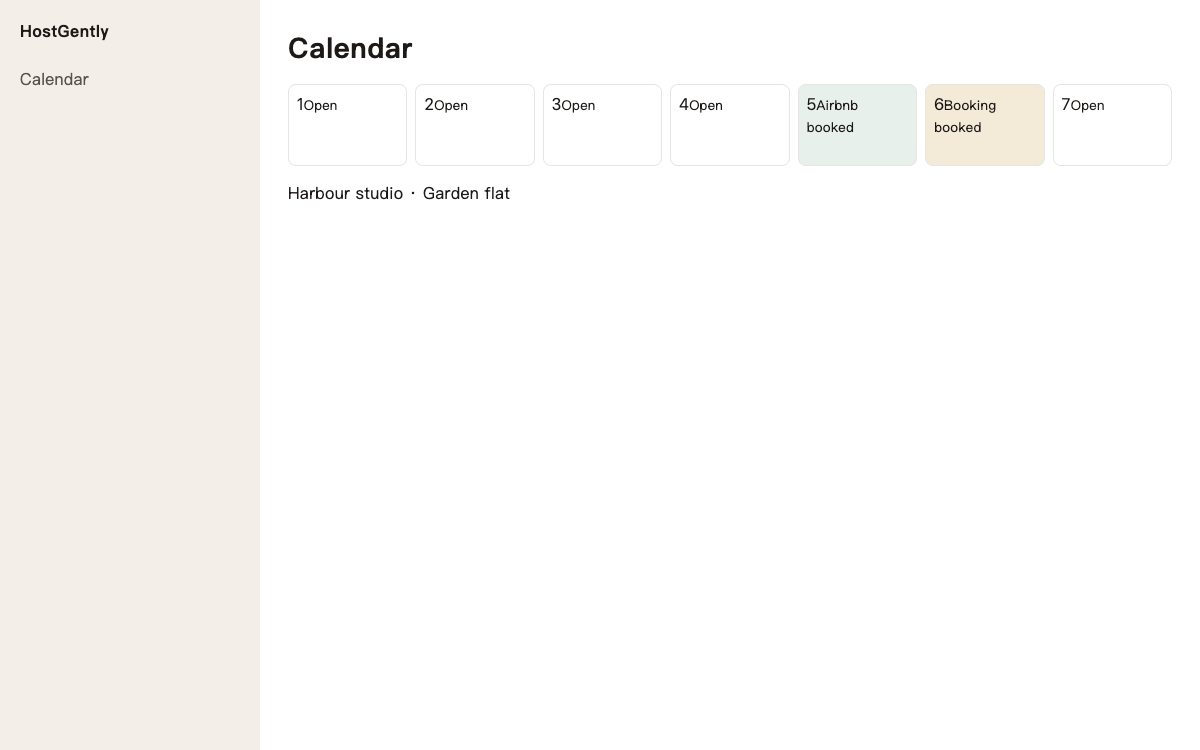
One calendar for Airbnb, Booking.com, Vrbo, Expedia and Trip.com. When a night is booked, it closes on the other connected platforms.
Prices in one place
Change a price on the calendar and save. It goes out with the night to the platforms you connected, so a weekend rate is one edit.
Past bookings
Bring older stays in from a file you already have. The month then includes the bookings from before you connected, and you confirm before they are kept.
A draft reply
AI writes a draft in the guest's language from the message you have open. You read it, change a word if you want, and confirm to send.
Ask out loud
Ask out loud about today's arrivals and prices. The answer comes from your own stays, while your hands are busy.
Payouts and the bank
Booking.com and Airbnb payouts sit next to the bank lines you upload. You can see which deposit matches which payout.
A simple receipt
Make a simple receipt from the stay that is already in the calendar. You check the amount and send it to the guest.
Guest messages you prepare
Write the arrival note once: the door, the Wi-Fi, the parking. When a guest is due, you start from that note, read it, and confirm to send.
Nearby nightly prices
Before you change a rate, see what similar listings nearby ask per night. You still save your own price when you are ready.
Past bookings
Bring older stays in from a file you already have. The month then includes the bookings from before you connected, and you confirm before they are kept.
Ask out loud
Ask out loud about today's arrivals and prices. The answer comes from your own stays, while your hands are busy.
One login, multiple workspaces
Keep a brand or another group of listings in its own workspace. Each workspace has its own listings, channels and billing. Switch from the account menu, and you'll be notified when another workspace gets a new message or booking.
Booking platforms you can connect
Nights and prices stay in one place across several platforms, including Airbnb, Booking.com, Vrbo, Expedia, Trip.com, and more.
US$17 a property, each month
The first property is free for the first month, then US$17 a property each month. No commission on bookings.
- The whole desk and the booking platforms
- No commission on bookings
- First property free for the first month, from the first platform
Prices in US dollars (USD).
A host's day
Before
A booking arrives on one platform while the same night is still open on another. Changing a weekend price means opening each site. A guest writes in one app while you are still in the other.
With HostGently
The booking shows on one calendar, and the other platforms you connected close that night. You change the price once and it goes out with the night. The message is in the inbox, a draft is ready, and you confirm before it is sent.
Who it is for
One property. You want the nights, the price and the guest messages in one place, without keeping a second calendar by hand.
Several properties. The same calendar shows every home.
The price
Each property is US$17 a month. The first property is free for its first month. There is no commission on the booking.
Common questions
How much does it cost?
Each property is US$17 a month. The first property is free for its first month, from the day you connect the first platform. HostGently does not take a commission on the booking.
Can bookings from several platforms sit together?
Yes. Bookings from Airbnb, Booking.com, Vrbo, Expedia, Trip.com and the other platforms you connect land on one calendar. A Saturday booked on Booking.com sits next to an Airbnb stay, so you can see the month without opening each site.
Do I change the price on every platform?
You change it once in HostGently. Save the night, and that price goes to the platforms you have connected. A higher Saturday rate is one edit on the calendar, not a login on every site.
How do guest messages get easier?
Guest messages sit in one inbox. Open one, and a draft can be written in the guest's language. You read it and confirm, and that is when it is sent. A guest asking for the door code gets the steps in the draft, ready for you to check.
Can it keep the same night from being booked twice?
When one platform takes a booking, the other platforms you connected close that night. A Friday booked on Airbnb closes Friday on Booking.com and Vrbo as well. If you need the night yourself, close it on the calendar and the connected platforms close with it.
Can the arrival note be written once?
Yes. The door, the Wi-Fi and the parking can be saved as a message you reuse. When a guest is about to arrive, you start from that note, read it, and confirm to send. The same arrival note does not have to be typed from the start each time.
Start with the first property
Nights, prices, orders and guest messages stay together. A booked night closes on the other platforms.
Try free for 1 monthFirst property free for the first month · no commission · cancel any time