A simple receipt
Make a simple receipt from the stay that is already in the calendar. You check the amount and send it to the guest.
The guest asks for a receipt and you are rebuilding it from emails.
The amount should match the stay you already have.
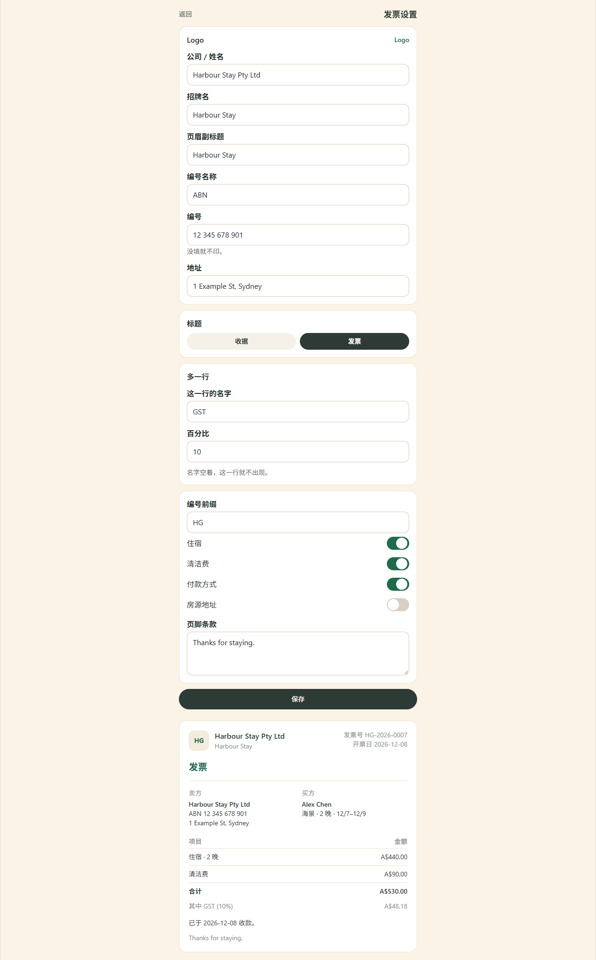
- The amount and the paid date come in from this stay. You check them, then issue the receipt.
- Before it is issued, you can change the buyer, the stay amount and the paid date.
- Download the PDF, or copy a link the guest can open.
Three steps, then you are taking bookings
Open the stay
The booking is already there.
Make the receipt
A simple one, from that stay.
Send it
You send it. It does not go by itself.
What you need to run properties on several platforms
One inbox
Airbnb and Booking.com messages sit in one inbox. Open a thread, read it, and send the reply from the same place, so the evening is one list instead of two apps.
One calendar
One calendar for Airbnb, Booking.com, Vrbo, Expedia and Trip.com. When a night is booked, it closes on the other connected platforms.
Prices in one place
Change a price on the calendar and save. It goes out with the night to the platforms you connected, so a weekend rate is one edit.
Common questions
What is the receipt for?
It is a simple receipt made from the stay already on the calendar. You check the amount, then send it to the guest.
How does the guest receive it?
You send it from that stay. The amount starts from the booking you already have, and you can edit it before it goes.